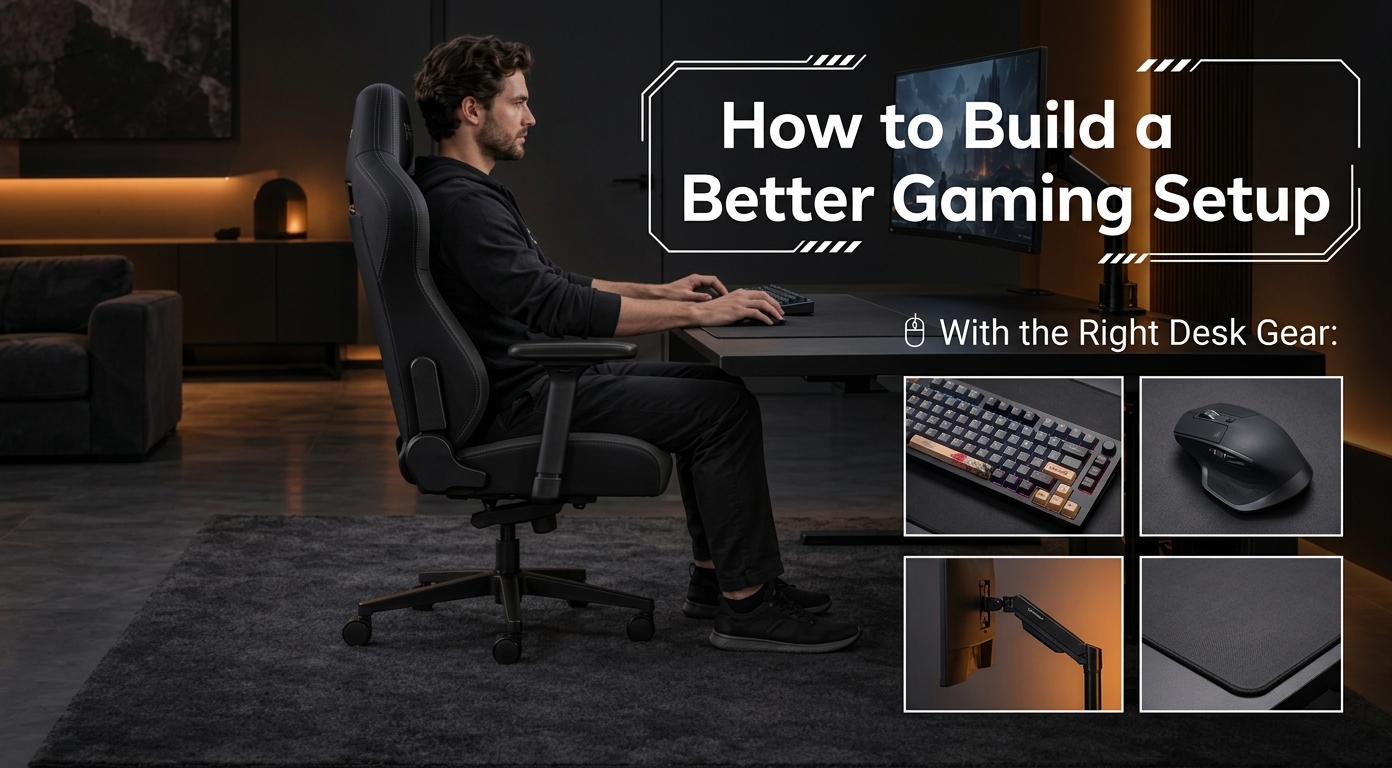
How to Build a Better Gaming Setup With the Right Desk Gear
Improve your gaming setup with a smooth glass mousepad, better desk organization, and practical accessories from ATK Gaming Gear.
Recent Blogs
- Top Running Shorts That Keep You Cool and Supported
- Top Streetwear Essentials For Your Wardrobe
- Best Cordless Neck and Shoulder Massagers for At-Home Relief (2025 Guide)
- How to Choose Women's Handbags That Are Stylish, Practical, and Built to Last
- Sideline Style: Mike Vrabel’s Iconic Vests in Patriots’ 2025 Matches
- Top Matching Hoodie and Sweatpants Sets for Cozy Self-Care
- How to Choose the Right Electric Bikes for Adults for Everyday Convenience
October 26 15
A gaming setup can look impressive but still feel uncomfortable after a few hours. Small issues with desk space, mouse movement, and access can affect your experience. Even expensive gaming hardware cannot fully fix a poorly arranged workspace.
Fortunately, you can improve your setup by focusing on equipment that supports your everyday gaming habits. The right desk accessories can improve movement, comfort, and organization. From choosing a suitable glass mousepad to managing equipment efficiently, small upgrades can make a noticeable difference.
Common Problems With Gaming Desk Setups
Many gamers focus heavily on their mouse, keyboard, monitor, and graphics hardware. However, they often give the desk itself less attention. A cramped surface can restrict mouse movement and make your keyboard feel awkward. Similarly, an unsuitable mousepad may create inconsistent tracking during longer sessions. Cable clutter creates another common problem. Multiple cables can cross your desk and interfere with your mouse or keyboard. They can also make cleaning and reorganizing your workspace more difficult.
Some gamers also struggle to balance appearance with functionality. A setup might look clean in photographs but lack enough practical space. These problems may seem minor individually. Together, however, they can make your gaming environment feel less efficient.
Why Your Desk Accessories Matter
Your desk accessories influence how naturally you interact with your gaming equipment. A mousepad provides the surface your mouse uses during every match. A quality glass mousepad can offer a smooth surface for quick and controlled mouse movement. Its rigid construction also creates a different feel from traditional fabric pads. The size and placement of your accessories matter as well. Your mouse needs enough room for comfortable movement without repeatedly hitting your keyboard.
Another consideration involves desk organization. Equipment should remain accessible without occupying unnecessary space. This becomes especially important for competitive gamers who rely on quick movements. For some setups, a lightweight rail or similar organizational solution can create more usable space. The goal remains simple. Keep essential equipment accessible while reducing unnecessary clutter.
Practical Ways to Improve Your Gaming Workspace
You do not need to replace your entire setup to make it better. Start by identifying the areas that cause the most frustration.
1. Give Your Mouse Enough Room
Check whether your current mousepad provides enough movement space. Limited room can force you to lift your mouse repeatedly during games. A larger surface can make low-sensitivity gaming more comfortable. A glass mousepad may also suit gamers who prefer smooth, consistent movement. However, your preference should guide the decision. Consider your mouse feet, sensitivity settings, desk dimensions, and preferred control style.
2. Reduce Unnecessary Clutter
Look at everything currently sitting on your desk. Remove accessories that you rarely use during gaming sessions. Then organize essential items according to how frequently you need them. Keep frequently used equipment within easy reach. A lightweight rail can also support a more organized workspace when used appropriately. Keeping accessories off the primary surface gives your mouse and keyboard more room.
3. Keep Your Setup Easy to Maintain
A gaming setup should not require complicated maintenance. Dust, debris, and cable clutter can gradually make your workspace less pleasant. Choose accessories that remain easy to clean and arrange. Wipe your desk and mouse surface regularly, especially during long gaming sessions. It also helps to check your equipment placement occasionally. Your preferred setup may change as you add peripherals or adjust your gaming style.
4. Make Access Simple
Good organization should make your equipment easier to use, not harder. For example, gamers often need quick access to software, account pages, and peripheral settings. Keeping important resources organized can save unnecessary time. If you regularly use services that require a dragonfly login, manage your credentials and access information securely. Avoid leaving passwords or sensitive information exposed on your desk or computer.
Choosing a More Premium Gaming Setup
Once you understand the problems affecting your workspace, upgrading individual components becomes easier. Instead of buying accessories simply because they look impressive, consider how each product solves a specific problem. This approach can prevent unnecessary spending while helping you build a practical setup.
Brands such as ATK Gaming Gear can be worth considering when you want gaming-focused equipment. The right upgrade should complement your existing hardware rather than forcing a complete rebuild. A premium glass mousepad, for instance, may suit gamers who prioritize surface consistency and smooth movement. Meanwhile, better desk organization can create additional space without requiring a larger desk.
Benefits of Upgrading Your Gaming Environment
A carefully upgraded setup can provide several practical advantages. First, better desk organization gives your mouse and keyboard more usable space. This can make movement feel more natural during longer gaming sessions. Second, choosing suitable surfaces can improve the overall feel of your peripherals. A glass mousepad offers a distinct experience compared with traditional cloth alternatives.
Third, reducing clutter makes your workspace easier to maintain. You can clean the desk more efficiently and locate equipment without moving other items. Finally, a well-planned setup can make gaming more enjoyable. You spend less time adjusting equipment and more time focusing on the game. ATK Gaming Gear is one option to explore when you consider gaming-focused upgrades. However, the best purchase remains the one that addresses your specific setup problems.
Build a Setup That Works for You
An effective gaming workspace does not need to contain the most expensive equipment available. Instead, every component should have a clear purpose. Start by identifying what currently limits your comfort or performance. Then prioritize upgrades that directly address those issues.
Whether you need more mouse space, improved organization, or a cleaner desk layout, practical changes can help. A glass mousepad, thoughtful accessory placement, and a suitable lightweight rail can improve your environment. Before making your next purchase, consider how the product will fit your existing setup. ATK Gaming Gear can be part of that research when exploring premium gaming equipment. Ultimately, the smartest gaming setup is not necessarily the most expensive one. It is the setup that feels comfortable, stays organized, and supports the way you play.
Comment:
Your email address will not be published. Required fields are marked *
Our Top Picks

You Might Also Like